Less switching between tools
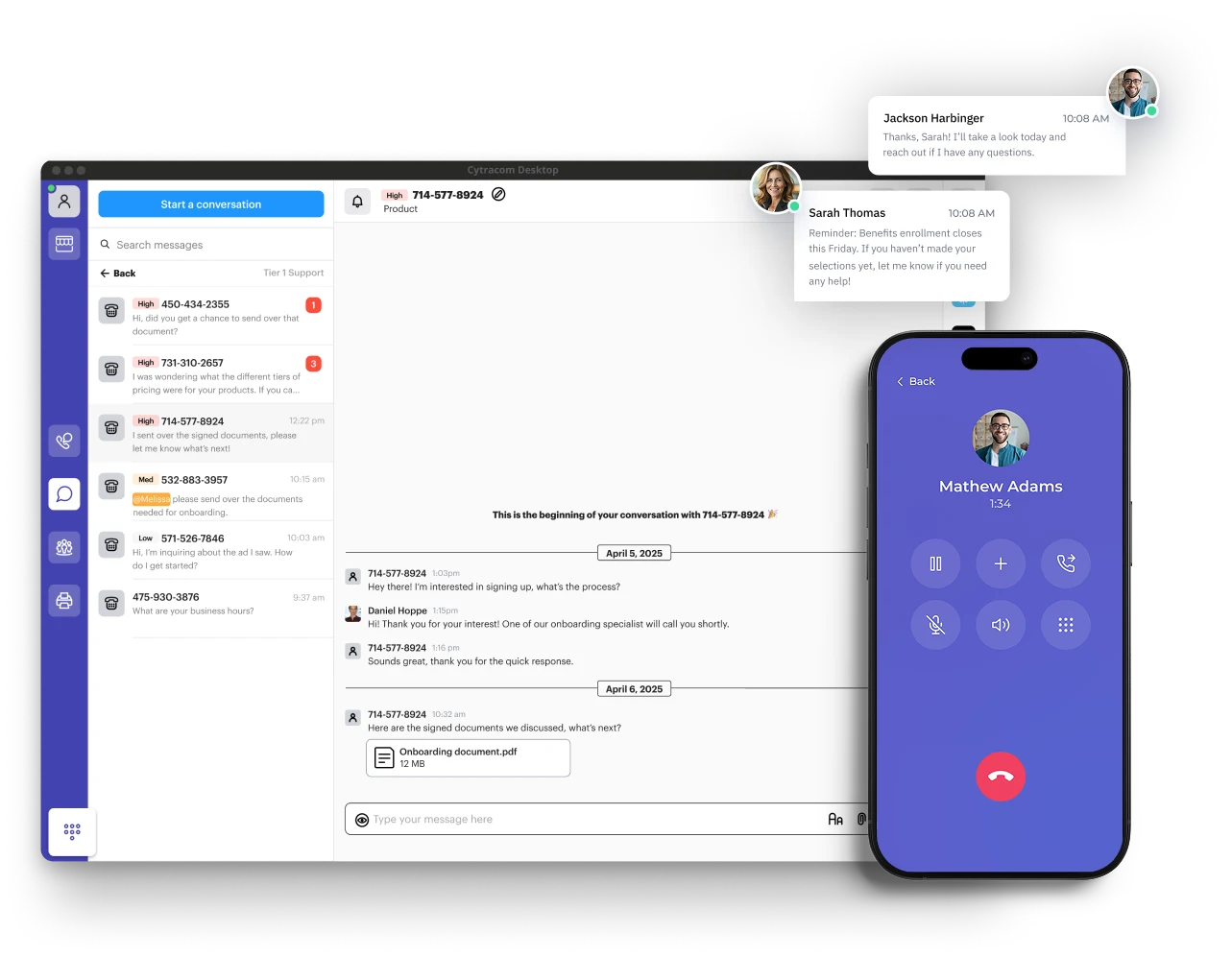
Handle calls, check voicemail and use supported messaging from your communications app. With Teams Phone, business calling lives alongside your team’s chat and meetings.
Business phone & unified communications
Give customers a better way to reach you and give your team the freedom to answer wherever work happens. XceedIT brings together cloud business calling, Microsoft Teams Phone, desk phones and headsets with the setup and support to make it all work.
Talk about your phone systemThe unified communications advantage
A desk phone alone cannot keep a distributed team connected. Unified communications brings business calling, voicemail and supported messaging into the apps your people use throughout the day. Teams Phone takes that further inside Microsoft Teams, placing external calls alongside chat and meetings. The result: less switching between tools, easier follow-up and a consistent business identity wherever employees work.
Handle calls, check voicemail and use supported messaging from your communications app. With Teams Phone, business calling lives alongside your team’s chat and meetings.
Read a voicemail, return a call or follow up by business text where enabled. Shared messaging options help colleagues pick up the conversation when someone is unavailable.
Answer and return calls with your business number from supported desk, desktop and mobile devices. Employees stay reachable without giving customers their personal number.
Two ways to connect
A dedicated cloud phone service or calling inside Microsoft Teams? We help you choose based on your people, call flows and existing workplace.
Cloud business phone
Cytracom brings business calling, desktop and mobile apps, and supported messaging into a dedicated communications platform. It is a strong fit when you want a phone system that serves the whole business, with a familiar desk phone experience and flexibility beyond the office.
Consider it for: reception teams, multiple locations and organizations wanting a dedicated phone platform.
Microsoft Teams Phone
Bring external calling into the Teams workspace your employees already use. Teams Phone supports calling, transfers, voicemail, auto attendants and queues, with compatible devices for desks and shared spaces. XceedIT helps connect the licensing, phone numbers and configuration.
Consider it for: organizations already working in Microsoft 365 and wanting calling alongside chat and meetings.
We match the calling plan, carrier connection, licenses and devices to your selected platform. Messaging and recording options vary by service and plan.
What's included
Build a calling service around the way your team works. We confirm the features, calling plans, messaging, recording and licensing in your proposal.
Plan the move of eligible existing numbers, new lines and extensions with a scheduled transition that keeps everyone informed.
Welcome callers with clear greetings, useful menu choices and business-hours or holiday routing that gets them to the right place.
Share incoming calls across a department, define who answers next and provide a sensible destination when the team is busy or unavailable.
Use a business number from supported desktop and mobile apps, with calling and voicemail that travel with the person doing the work.
Make messages easier to find and act on through visual voicemail and transcription where supported by your chosen service.
Add business texting, team conversations or shared inboxes where available, so follow-up stays with the business rather than a personal number.
Review call activity and queue performance. Configure recording where required, with clear access, retention and consent responsibilities.
Supply and configure compatible desk phones, headsets and conference devices for reception, individual workstations and shared spaces.
Get help with users, extensions, greetings, routing and device issues as your organization grows or the way you work changes.
Work is not one place
A customer should not need a different number because someone is working from home or visiting another location. Supported apps let employees answer and return calls using their business identity, without making their personal number the company’s contact point.
We configure who rings, where messages go and how calls move between people. For Teams users, that can mean business calling in the same workspace as their meetings and conversations.
Talk through your calling needsWe provide the hardware, too
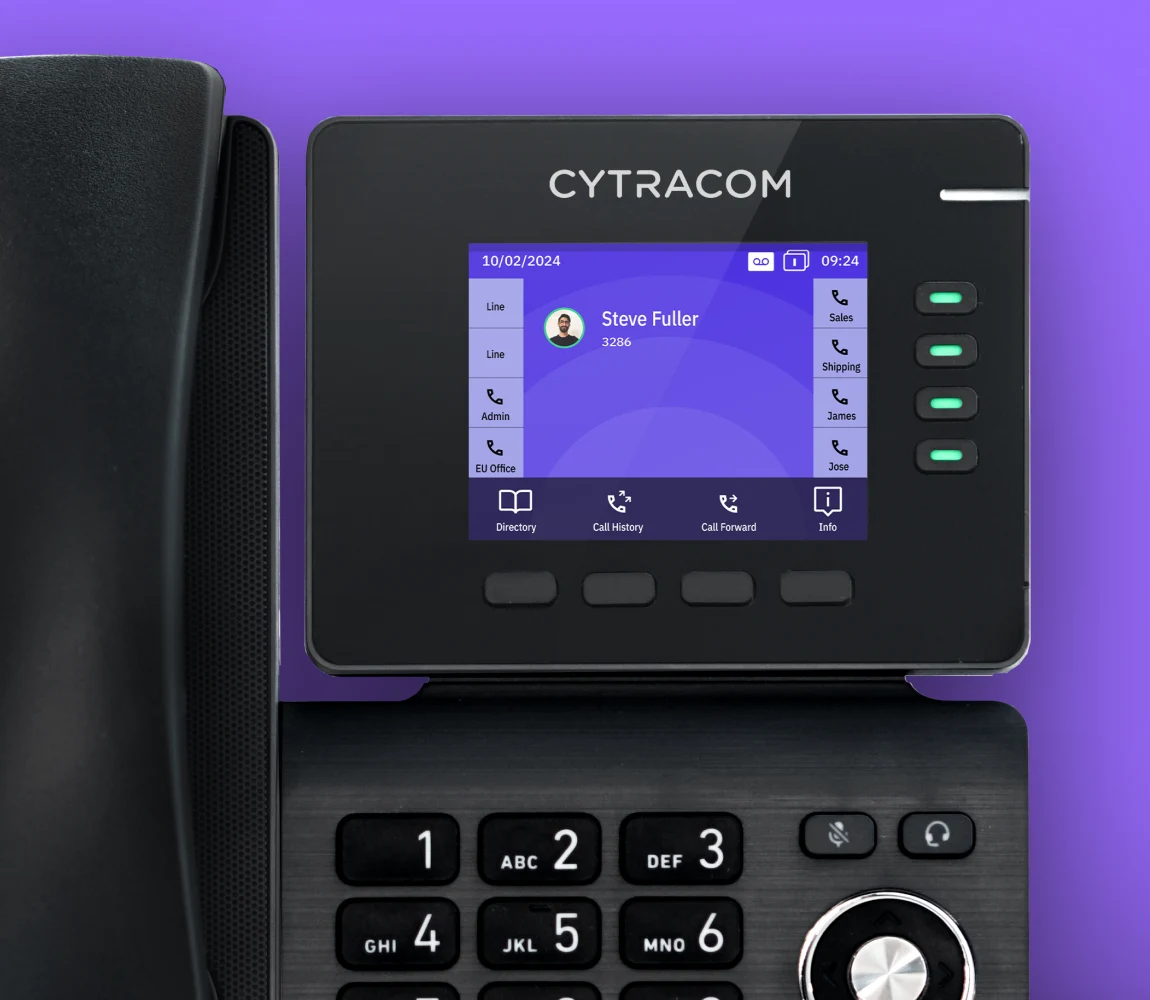
Reception needs easy transfers and a clear view of who is available. A desk worker may prefer a familiar handset. A mobile employee may need a comfortable headset and an app. Meeting rooms need equipment people can actually hear.
XceedIT supplies compatible desk phones, headsets and conference devices, configures them for the selected platform and helps your team get comfortable using them. We check cabling, network power and connectivity so the hardware fits the space as well as the service.
Talk through the fit
We can help untangle missed calls, aging hardware, disconnected locations or a phone system that no longer fits your team.
Call (919) 999-8877A thoughtful transition
Replacing a phone system touches customers, employees and daily routines. We work through the details before the change so your team knows what to expect.
Review numbers, carrier records, contracts, fax or specialty lines and the people who depend on them. Confirm number portability and identify anything needing a separate solution.
Assess internet capacity, wired and wireless coverage, switches and power for phones. Plan emergency calling locations and an alternate call destination for disruptions.
Configure greetings, extensions, queues, schedules and permissions. Test inbound and outbound calls, transfers, voicemail and after-hours behavior before the team relies on them.
Coordinate number porting, device deployment and user training. Provide clear instructions for the first day and help refine the setup after real calls start coming through.
Designed around the outcome
The goal is a professional experience for callers and a practical system for the people answering them, with clear ownership when something needs attention.
Best fit: Organizations replacing an aging phone system, opening a new location or bringing office and remote calling into a consistent experience.A practical next step