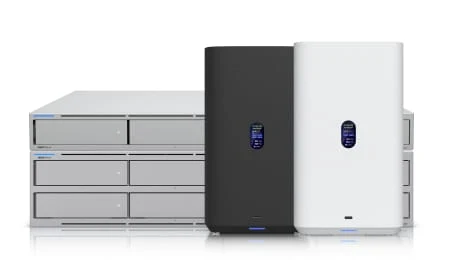
Fast Wi-Fi. A secure internet edge. Connected offices, cameras and doors. We bring the UniFi stack together into a network that is easier to see, manage and grow.
XceedIT designs the system, supplies and installs the hardware, and keeps the infrastructure behind your business working together.
Wi-Fi 7Modern wireless options for compatible devices
10 GbEHigh-speed uplink options for your network backbone
One viewManage devices and locations through Site Manager
$0Per-device licensing for core UniFi Network management
Capabilities depend on selected hardware and configuration. Wireless results depend on devices and site conditions. Hardware, XceedIT services, internet connections and optional subscriptions are priced separately.
The full UniFi advantage
From the internet edge to the front door.
A shared platform connects the systems your workplace relies on. Start with the network you need today, then add cameras, access control or storage with the infrastructure already in mind.
Connect & protect
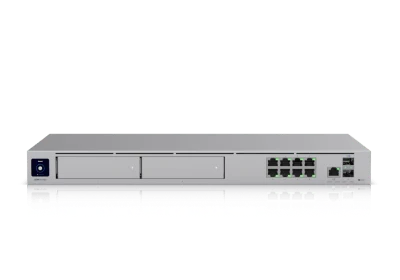
Cloud gateways
Bring internet connectivity, firewall policies and remote access together at the edge. Plan backup internet and site-to-site connections around the services your business needs to keep running.
Internet • Firewall • VPN • Failover
Move data & deliver power
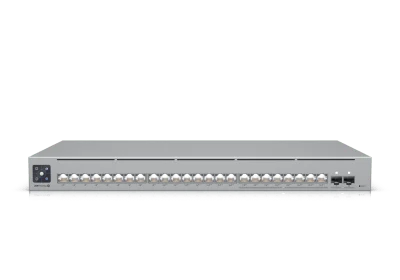
Managed switching
Build the backbone for workstations, servers, access points and cameras. Multi-gigabit options, fiber uplinks and Power over Ethernet give each part of the system the connectivity it needs.
PoE • VLANs • Multi-gigabit • Fiber
Keep people connected
Business Wi-Fi
Give meeting rooms, work areas and shared spaces dependable wireless access. We design placement, capacity and roaming around your building and devices, with separate access for staff and visitors.
Wi-Fi 7 options • Roaming • Guest access
See what matters
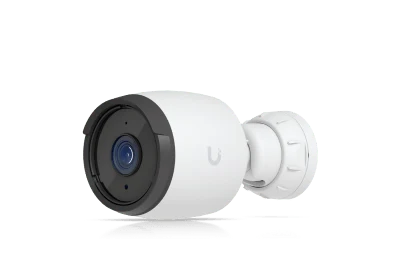
UniFi Protect
Bring camera views, event search and locally recorded video into a manageable system. We plan camera placement, network power, recording capacity and permissions around the property and your retention needs.
Cameras • Local recording • Event review
Manage the front door
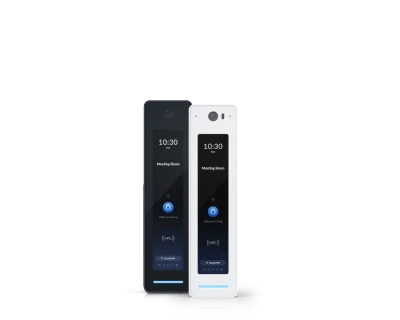
UniFi Access
Manage who can enter, which doors they can use and when their access applies. Readers, hubs and visitor entry become part of a coordinated deployment with your doors, locks and life-safety requirements.
Door access • Schedules • Visitor entry
Keep shared files close
UniFi Drive
Add local shared storage to the same UniFi environment when it fits your workflows. We size capacity, set permissions and connect the storage plan to backup and recovery so ownership stays clear.
Shared storage • Permissions • Capacity planning
Clarity changes the support experience
See the connection. Find the problem.
When a call breaks up or an application slows down, the whole path matters. Unified visibility helps our team follow the connection from the device to the access point, switch and internet gateway.
UniFi Port Manager · Illustrative interface
A useful map of your network
Device relationships and port visibility help us trace a problem across the infrastructure instead of starting over at every handoff.
Wireless you can tune
Review connection quality, radio conditions and client behavior. Adjust the design as your team, floor plan and device mix change.
Changes with context
Manage supported equipment from a shared interface, with documented configurations and a planned approach to updates.
Connected with clear boundaries
One platform. The right separation.
Your guests need internet access. Your staff need business applications. Cameras, building systems and shared devices have their own purpose. We design who can reach what across the wired and wireless network.
Separate staff, guest and connected-device traffic
Apply gateway rules and supported intrusion prevention
Configure approved remote and site-to-site access
Align administrative roles with real responsibilities
Network safeguards work alongside identity, endpoint and email protection. We connect the network design to your broader security program.
Carry the design forward as your business expands. UniFi Site Manager brings locations into one management view, while each site runs its network locally.
We establish repeatable standards for Wi-Fi, security zones, equipment and documentation. Secure site connections and backup internet can be added where the business needs them.
A loss of management-cloud connectivity does not itself stop local networking. Internet outages still affect services that require internet access.
See a unified multi-site deployment in action.
Built around the place you work
The same platform. Your kind of workplace.
The hardware should fit the business. We shape coverage, capacity, security and resilience around the people and systems using your space.
Offices & client-facing spaces
Support cloud applications, video meetings and business calling. Give visitors a straightforward guest network while keeping business systems separate. Plan cameras and entry access into the same build.
Warehouses & larger properties
Account for racking, building materials, scanner movement and outdoor areas. Engineer wireless placement, uplinks and power for the site, then test the workflows people actually use.
Branches & growing organizations
Use consistent configurations and a shared support model across locations. Add a new site with a clear hardware plan, secure connectivity and standards your team already understands.
The XceedIT part
Great hardware. A complete deployment.
The difference is in the design, installation and care that follow. We connect the equipment, physical infrastructure and ongoing support into one practical plan.
01
Understand the site
Review floor plans, cabling, users, applications, existing equipment and recurring issues. Identify what must stay available during the change.
02
Engineer the system
Plan Wi-Fi placement, switch capacity, PoE budgets, security zones, recording needs and internet resilience. Select hardware for the workload and room to grow.
03
Install & prove it
Coordinate cabling, rack work and the cutover. Test coverage, critical applications, guest isolation, access permissions and any configured failover before handoff.
04
Keep it healthy
Maintain diagrams and configuration records, review alerts, plan firmware changes and track capacity. Give your team a clear support path when something needs attention.
We start with the current environment and priorities. A phased upgrade can address the internet edge, switches or Wi-Fi first, with a plan for how existing equipment will work during the transition. The scope follows compatibility, supportability and business needs.
What does license-free mean for our costs?
Core UniFi Network management does not require per-device licensing. Your proposal still includes the hardware, installation and management services you select. Internet service, cellular data, optional platform subscriptions and other recurring services are identified separately.
Can the network support cameras and door access?
Yes. We plan UniFi Protect and Access alongside switching, PoE capacity, storage and permissions. Camera coverage and retention are sized for the property. Door installations also account for locks, building requirements and the qualified trades needed for the project.
Will you manage it after installation?
We provide ongoing network management as part of the agreed service scope: monitoring, configuration records, planned updates, troubleshooting and capacity review. We define supported equipment and the support process in your proposal.
Let’s connect the whole picture
A better network starts with your space.
Tell us about your locations, your current equipment and what needs to work better. We’ll help shape the right UniFi system and a practical path to get there.